
Veo 3.0 Fast suitable for Ghibli Style?

The distinctive aesthetic of Studio Ghibli—characterized by lush hand-painted backgrounds, whimsical machinery, and emotional storytelling—remains one of the most sought-after visual styles in generative AI. With the release of Veo 3.0 Fast, creators are asking whether this high-speed, cost-optimized model from Google can effectively replicate the "Ghibli Style" charm, or if it remains too tethered to photorealism.
Veo 3.0 Fast demonstrates a surprising versatility in handling stylized content. While its core architecture is trained for high-fidelity cinematic motion, its prompt adherence allows it to generate convincing anime-style sequences when guided correctly. For creators using Hotgen.AI, this model offers a significant advantage: it enables rapid iteration of animation concepts at approximately 20% of the cost of the standard Veo 3.0 model, making it an ideal engine for testing complex Ghibli-inspired scenes before final rendering.
Typical Visual & Content Characteristics of Ghibli Style
To successfully generate Ghibli-style content using AI video models, one must first deconstruct the visual elements that define the genre. It is not merely "anime"; it is a specific artistic signature.
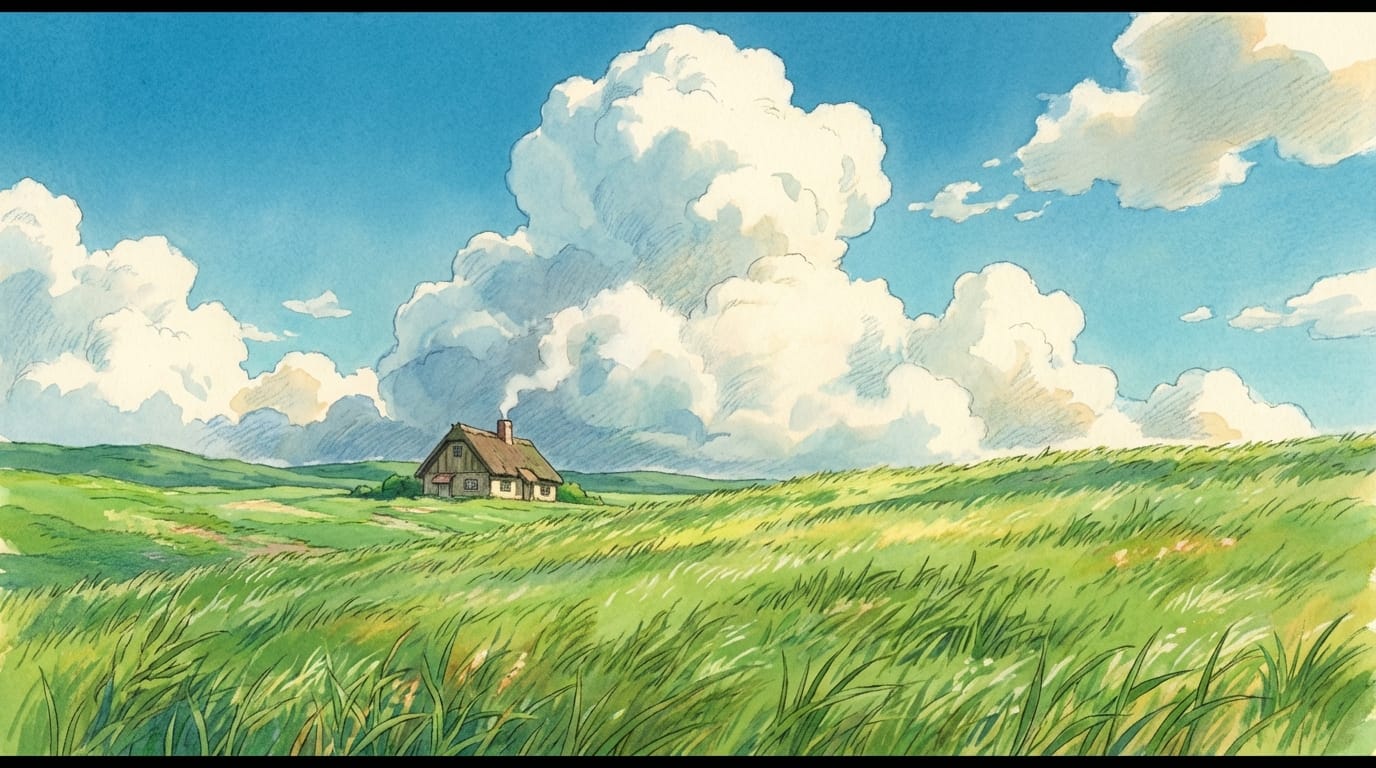
- Visual Texture: The style is famous for the contrast between simple, cel-shaded characters and incredibly detailed, painterly backgrounds (often resembling watercolor or gouache).
- Color Palette: Dominant use of vibrant greens (nature), azure blues (sky/water), and warm earth tones. Lighting is often soft, natural, and nostalgic.
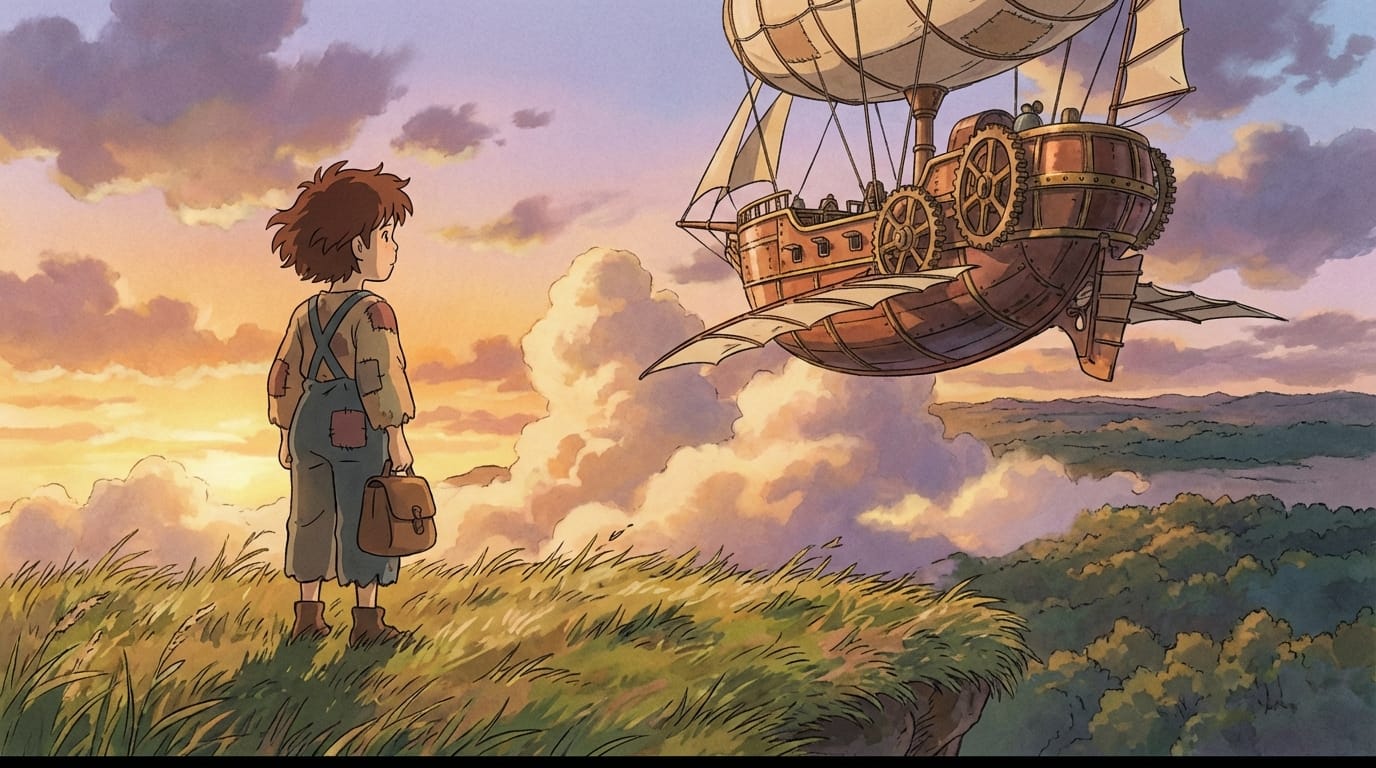
- Movement & Physics: Physics are often exaggerated but grounded—hair blowing in the wind, the "heaviness" of flying machines, and fluid, water-like motion.
- Subject Matter: Common themes include flying islands, grassy meadows, steampunk-lite airships, delicious-looking food, and quiet, contemplative moments.
Performance Analysis of Veo 3.0 Fast on Ghibli Style
When applied to Ghibli Style generation, Veo 3.0 Fast exhibits specific strengths and limitations that users should be aware of.
Style Fidelity and Texture Veo 3.0 Fast is inherently a video-first model with a bias toward cinematic realism. However, because it possesses strong prompt adherence, it can be steered away from photorealism. It captures the lighting and composition of Ghibli movies exceptionally well. The trade-off with the "Fast" version is that some of the intricate "brushstroke" textures in the background might appear slightly smoother or more digital compared to the standard Veo 3.0, but the overall aesthetic remains intact.
Motion and Consistency This is where Veo 3.0 Fast excels. Ghibli films are defined by specific types of movement—such as the billowing of clouds or the flight of aircraft. Veo 3.0 Fast's physics simulation capabilities handle these fluid dynamics effectively. It maintains temporal consistency over the 8-second generation window, ensuring characters do not morph uncontrollably, which is crucial for the "hand-drawn" illusion.
Iteration Speed Because achieving the perfect anime look often requires tweaking prompts (e.g., balancing "2D" vs. "3D" keywords), the speed and lower cost of Veo 3.0 Fast make it the superior choice for the trial-and-error phase of creative workflows.
Typical Scenarios for Veo 3.0 Fast Generating Ghibli Style
Creators and businesses can leverage this model for specific use cases that demand the Ghibli aesthetic without the need for a full animation studio.
- Lofi & Ambience Channels: Generating looping videos of study rooms, rainy windows, or grassy hills for YouTube music channels.
- Concept Visualization: Rapidly visualizing environments for game development or film storyboards to pitch a "Ghibli-esque" mood.
- Social Media Storytelling: Creating short, emotionally resonant clips for TikTok or Instagram Reels that stand out due to their artistic style.
- Book Trailers: Bringing fantasy novel covers to life with subtle animation and atmospheric lighting.
Prompting Points for Ghibli Style (Based on Veo 3.0 Fast)
To force Veo 3.0 Fast out of its photorealistic comfort zone, your prompt structure must be explicit about the medium and art style.
Key Structural Elements:
- Medium Specifiers: Use terms like 'Studio Ghibli style', 'Hayao Miyazaki', 'hand-drawn animation', 'cel-shaded', 'watercolor background'.
- Lighting/Atmosphere: Focus on 'golden hour', 'dappled sunlight', 'nostalgic atmosphere'.
- Negative Prompts (Mental): You want to avoid terms that trigger realism, such as '4k photography', 'hyper-realistic', or 'unreal engine render'.
Example Prompt:
"A peaceful village street in the afternoon, traditional japanese architecture mixed with european fantasy, lush potted plants, a cat sleeping on a wall, large cumulus clouds in the background, Studio Ghibli art style, hand-painted texture, cel shaded, 2D animation, vibrant colors, wind moving the leaves."
Common Ways to Generate Ghibli Style with Veo 3.0 Fast
On Hotgen.AI, there are two primary workflows to achieve this look using Veo 3.0 Fast.
1. Text-to-Video (Direct Generation) This is the fastest way to brainstorm. You describe the scene using the prompt strategies mentioned above. The model generates the video from scratch based on your text description.
- Try Text-to-Video: https://hotgen.ai/create/text2video/google-video-veo-3.0-fast
2. Image-to-Video (Style Transfer & Animation) For the highest quality Ghibli results, we recommend generating a base image first (using a model like Midjourney V6 or Flux on Hotgen) to perfect the 2D art style. Then, use Veo 3.0 Fast to animate that static image. This ensures the texture is perfectly "painted" before motion is added.
- Try Image-to-Video: https://hotgen.ai/create/image2video/google-video-veo-3.0-fast
Who is Suitable for Using Veo 3.0 Fast for Ghibli Style?
- Indie Game Developers: For creating cutscenes or mood boards that require a specific artistic direction without hiring a full animation team.
- Content Marketers: Brands looking for a softer, more emotional visual language for advertisements rather than standard stock footage.
- Digital Artists: Illustrators who want to add motion to their static artwork to increase engagement on social platforms.
- Storyboard Artists: Professionals who need to quickly visualize a scene's motion and lighting in a specific style for client approval.
Explore More Ghibli Style Creation on Hotgen.AI
While Veo 3.0 Fast is an excellent tool for motion, the best results often come from combining tools. Hotgen.AI aggregates the world's top models, allowing you to experiment. You might generate a character reference in Midjourney, expand the background with Flux, and finally animate the scene with Veo 3.0 Fast—all within a single unified credits system.
- Browse Model Library: https://hotgen.ai/models
- Compare Model Outputs: https://hotgen.ai/models/compare
Conclusion: Is Veo 3.0 Fast Suitable for Ghibli Style?
Yes, Veo 3.0 Fast is a highly capable tool for generating Ghibli Style content, particularly when cost and speed are priorities. While it requires careful prompting to ensure it adheres to the 2D aesthetic rather than reverting to 3D realism, its understanding of cinematic motion and physics makes it excellent for capturing the feeling of a Ghibli film.
For commercial projects requiring rapid iteration or social media content where volume matters, Veo 3.0 Fast offers the best balance of artistic control and efficiency in the current market.
Ready to create your own animated world?
- Visit Hotgen.AI: https://hotgen.ai
- Start Creating Now: https://hotgen.ai/signin