Is Nano Banana Good for Rapid Concept Prototyping?

Rapid concept prototyping requires speed, agility, and the ability to test multiple visual directions without exhausting resources. In this context, Nano Banana stands out as a highly specialized tool designed specifically for low-latency creation and real-time preview.
If your workflow demands immediate visual feedback rather than pixel-perfect final renders, this model offers a distinct advantage. Available directly through the Hotgen.AI platform, Nano Banana allows creators to bypass long rendering queues.
By prioritizing generation speed, it enables a high-frequency testing environment where ideas can be visualized in seconds.
Core Creative Needs in Rapid Concept Prototyping
When developing initial concepts for campaigns, social media, or design projects, the primary objective is volume and iteration. Creators need to generate dozens of drafts to explore different compositions and stylistic directions.
The core requirement here is not absolute physical realism, but rather efficiency and cost-effectiveness. A successful prototyping phase relies on the rapid visual translation of text prompts or rough sketches.
Delays in rendering interrupt the creative flow, making high-speed models essential for maintaining momentum during the brainstorming process.
Advantages of Using Nano Banana for Rapid Concept Prototyping
Nano Banana is engineered specifically to address the bottlenecks of traditional rendering. Its lightweight architecture makes it one of the fastest models available, typically delivering outputs within a few seconds.
This rapid response time is ideal for real-time previews and mobile-based workflows where speed is critical. Beyond speed, the model offers exceptional cost-effectiveness for creators.
Because it consumes fewer computational resources, users can run extensive batch tests and generate massive volumes of drafts without depleting their credits rapidly. It strikes a practical balance between visual clarity and generation speed.
Typical Use Cases of Nano Banana in Rapid Concept Prototyping
To maximize the efficiency of Nano Banana, creators typically deploy it in early-stage workflows where speed is the priority. Below are practical examples of how this model functions within a production pipeline.
1. Generating Initial Mood Boards (Text-to-Image)
Art directors and designers frequently need to establish a visual tone before starting actual production. Using the Text-to-Image capabilities of Nano Banana, you can rapidly generate a grid of conceptual images to form a cohesive mood board.
Example Prompt:
A cinematic wide shot of a futuristic desert city at sunset, brutalist architecture, warm orange and teal color palette, concept art style, clear atmosphere.

Workflow Link: Launch Nano Banana Text-to-Image
2. Iterating on Rough Sketches (Image-to-Image)
Illustrators often start with basic line art or rough structural sketches. By utilizing the Image-to-Image function, creators can feed these basic drafts into Nano Banana to instantly preview how the sketch might look with full color applied.
Example Prompt:
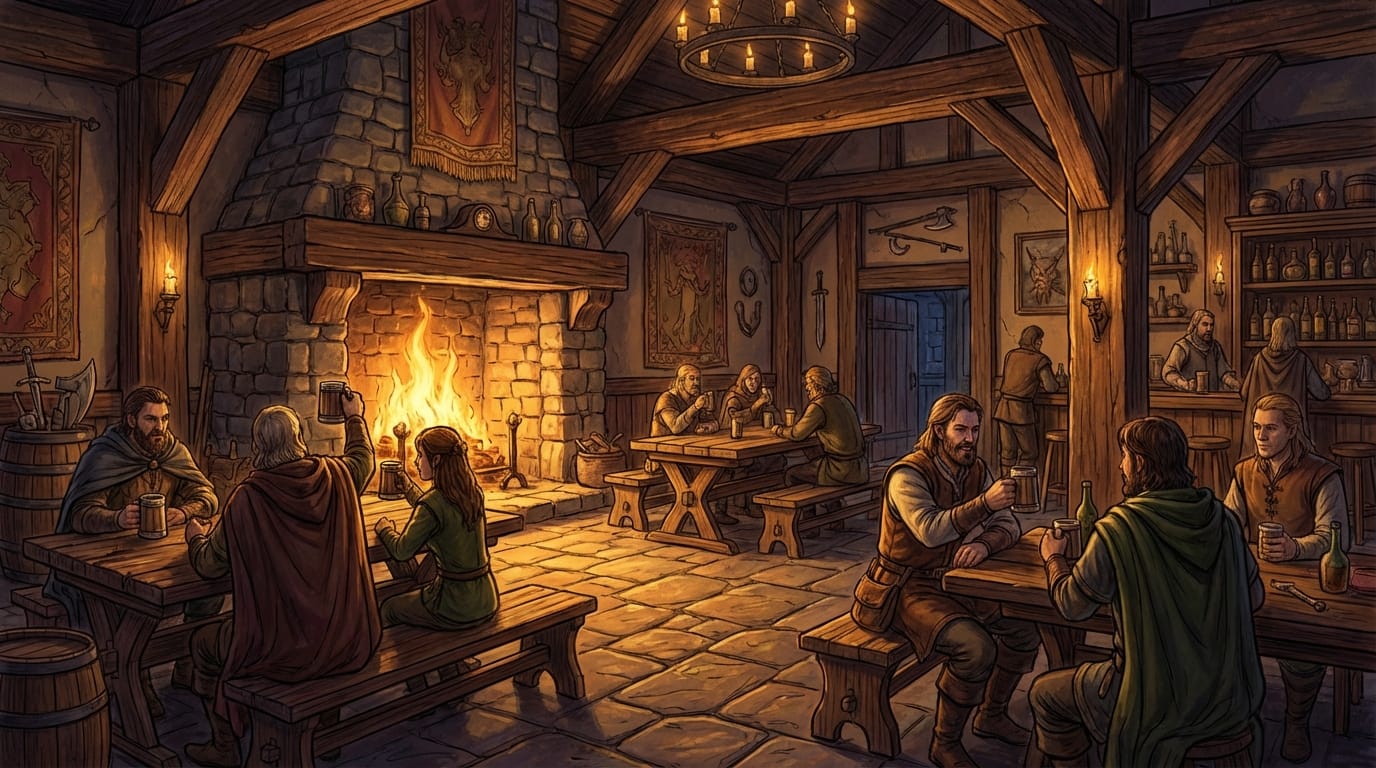
Transform this rough pencil outline into a vibrant digital illustration of a fantasy tavern interior, warm fireplace lighting, detailed wooden textures, cozy atmosphere.
Workflow Link: Launch Nano Banana Image-to-Image
Limitations to Note When Using Nano Banana in Rapid Concept Prototyping
While Nano Banana excels in speed and volume, it requires a clear understanding of its architectural trade-offs. The model prioritizes generation time over intricate detailing, meaning the physical realism will not match top-tier flagship models.
Users may also encounter minor inconsistencies when attempting highly specific stylistic controls or complex anatomical renders. It is best utilized as a drafting tool rather than a final production engine.
For projects requiring ultra-high definition or rigorous physical accuracy, you will need to transition to a heavier model after the prototyping phase.
Who Should Use Nano Banana for Rapid Concept Prototyping?
This model serves a specific segment of users who value agility over micro-details. Content creators and social media managers benefit significantly, as they often need to produce high volumes of visual content daily to keep up with trends.
Entry-level users will find Nano Banana highly approachable due to its low credit consumption and immediate feedback loop. This allows for faster learning of prompt engineering without heavy costs.
Additionally, developers and agencies requiring batch testing for dynamic content generation will find its low-latency performance highly suitable for automated workflows.
How to Start Rapid Concept Prototyping on Hotgen.AI
Integrating Nano Banana into your workflow is straightforward within the Hotgen.AI ecosystem. Because the platform operates on a unified credit system, you can utilize this lightweight model for extensive drafting without managing multiple subscriptions.
You can easily locate the model within the comprehensive Model Library to begin testing.
If you are unsure whether its output quality meets your specific project needs, the Model Compare feature allows you to run the same prompt through Nano Banana and a flagship model simultaneously to evaluate the results.
Summary: Does Nano Banana Fit Your Rapid Concept Prototyping Needs?
Nano Banana serves a highly specific, yet critical, function in the creative pipeline. If your immediate goal is to generate visual ideas quickly, test multiple variations, or build preliminary mood boards on a tight schedule, this model is highly effective.
However, if your current task requires photorealism, intricate anatomical accuracy, or final-stage production quality, its lightweight architecture may fall short. It is best viewed as the starting point of your creative process.
To determine how it fits into your specific pipeline, explore its capabilities directly. Visit Hotgen.AI to view the Nano Banana model details, or sign in to start creating and evaluate its generation speed for yourself.