Is Hailuo 01 Suitable for AI Course Creators?

AI course creators constantly face the challenge of turning abstract technical concepts into engaging visual content. Producing high-quality video demonstrations, promotional materials, and curriculum B-roll often requires significant time and budget.
Hailuo 01 serves as a highly effective solution for this exact demographic. As a foundational Text-to-Video (T2V) and Image-to-Video (I2V) model, it offers an excellent balance of cost-effectiveness, strong prompt adherence, and dynamic cinematic outputs.
For educators looking to scale their video production without overwhelming their budgets, this model is a practical entry point. You can seamlessly access and integrate Hailuo 01 into your workflow directly through the Hotgen.AI platform.
Typical Creative or Work Needs of AI Course Creators
Professionals developing educational content around artificial intelligence require robust visual aids to maintain student engagement. A talking-head video is rarely enough to explain neural networks, machine learning algorithms, or data processing pipelines.
These creators frequently need short, high-quality video clips to serve as background visuals, transition screens, or conceptual demonstrations. They output a high volume of curriculum modules and promotional shorts for platforms like YouTube, Udemy, or specialized learning portals.
Efficiency and visual consistency are paramount. Course creators need tools that accurately interpret specific educational prompts without requiring dozens of reruns. They also must manage production costs carefully, ensuring that the visual quality justifies the resource expenditure.
How Hailuo 01 Meets the Needs of AI Course Creators
Hailuo 01 directly addresses the budget and quality requirements of educational content production. As MiniMax's first-generation flagship model, it is recognized for its high cost-effectiveness, allowing creators to generate multiple iterations of a lesson's visual aids without rapidly depleting their resources.
Its exceptional prompt adherence means educators can describe precise scenarios—like a robotic arm assembling a microchip or a visual representation of data sorting—and expect accurate results. This reduces trial and error, significantly speeding up the curriculum development process.
The model also features cinematic camera language and natural physical simulations. This capability is crucial when producing course intros or promotional trailers, as it elevates the perceived production value of the course. Generating 6 to 10 seconds of 720p or 1080p video is the perfect duration for standard educational B-roll.
For instance, if you are teaching a module on neural networks, you can use a specific prompt to generate an engaging introductory clip:
Example Prompt:
A cinematic macro shot of a glowing artificial neural network, pulsating with neon blue and purple data streams, dark background, 1080p resolution, smooth slow-motion camera pan.

Common Use Cases of Hailuo 01 for AI Course Creators
Integrating Hailuo 01 into an educational workflow typically involves generating supplementary visuals that make complex topics easier to digest. Here are practical ways course creators utilize this model.
1. Generating Conceptual B-Roll via Text-to-Video
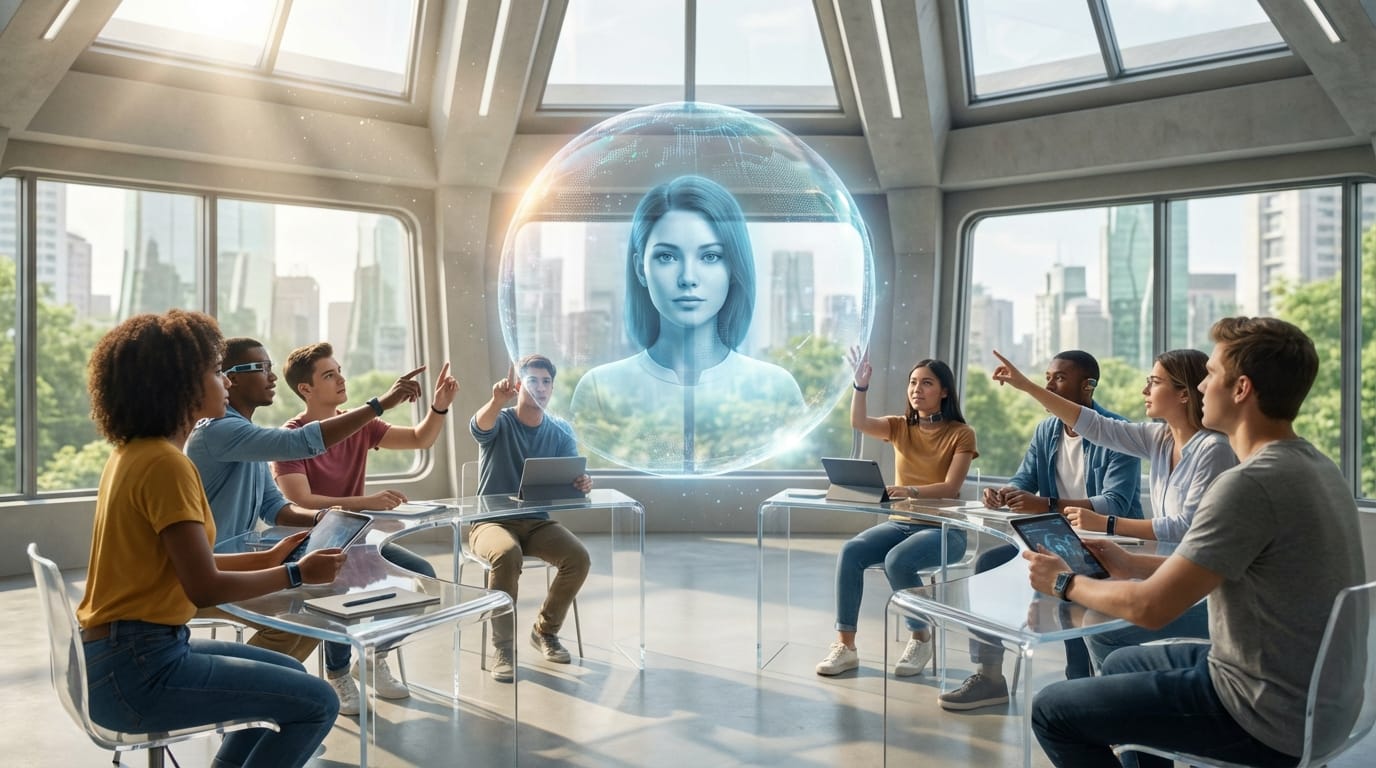
When explaining the history of AI or future technological trends, static images often fall flat. Creators use Text-to-Video to generate dynamic, futuristic scenes that play while the instructor speaks via voiceover. Hailuo 01's ability to handle complex environments makes it ideal for this.
Example Prompt:
A futuristic classroom where a diverse group of students interacts with a floating holographic AI assistant, bright natural lighting, cinematic depth of field, highly detailed, photorealistic.
2. Animating Course Diagrams via Image-to-Video
Educators often have existing static diagrams, flowcharts, or title slides. By using Image-to-Video, they can upload these static assets and prompt the model to add dynamic motion, turning a standard PowerPoint slide into an engaging video intro.
Example Prompt:
The static flowchart transforms into a glowing 3D schematic, data particles flowing smoothly between the nodes, subtle camera zoom in, professional corporate presentation style.

What AI Course Creators Should Note When Using Hailuo 01
While Hailuo 01 is an excellent foundational tool, creators must plan their scripts around its specific output constraints. The model generates videos lasting between 6 to 10 seconds. You will need to design your video editing workflow to stitch these short clips together or use them strictly as transitional B-roll.
Cost control is relatively easy due to its high cost-effectiveness, but managing credit usage is still necessary if you are generating visuals for an extensive 10-hour course. It is advisable to perfect your prompts on a smaller scale before running bulk generations.
Additionally, while its physics and multi-subject interactions are natural, it is an early-generation model. For extreme close-ups of human faces or highly complex text rendering within the video, you might experience occasional artifacts that require a second generation attempt.

Which AI Course Creators Are Not Suitable for Hailuo 01
Creators who require ultra-long, continuous, uncut video generations will find Hailuo 01 limiting. If your teaching style relies on single, unbroken 30-second AI-generated scenes without any editing or cuts, this model's 10-second maximum duration will not align with your needs.
Furthermore, educators looking to generate highly realistic, lip-synced AI avatars speaking directly to the camera should look elsewhere. Hailuo 01 excels at cinematic B-roll, complex actions, and environmental details, rather than precise audio-to-lip synchronization for virtual lecturers.
How AI Course Creators Can Use Hailuo 01 Efficiently on Hotgen.AI
Managing multiple AI subscriptions can quickly drain a course creator's budget. Hotgen.AI solves this by offering a unified Multi-Model Aggregation platform. You can access Hailuo 01 alongside other top-tier tools using a single, flexible Credit System, ensuring you only pay for what you generate.
To streamline your curriculum development, start by exploring the Model Library to locate the specific tools you need for different modules. If you are unsure whether Hailuo 01 or another model is best for a specific lesson, use the Model Compare feature to test prompts side-by-side.
This centralized workflow allows you to generate your curriculum's visual assets rapidly. The optimized GPU clusters ensure low-latency generation, meaning less time waiting for rendering and more time refining your educational content.
Conclusion: Is Hailuo 01 Worth Trying for AI Course Creators?
Hailuo 01 stands out as a reliable, low-barrier entry point for educators needing high-quality video content. Its strong prompt adherence, cinematic quality, and excellent cost-to-performance ratio make it highly suitable for generating course B-roll, concept demos, and promotional shorts.
If your goal is to elevate the visual standard of your curriculum without overspending on production, this model is a practical addition to your toolkit. Assess your specific video length requirements and visual style to see how it fits into your next project.
Ready to upgrade your educational content?
- Visit the official platform: Hotgen.AI
- Explore the model details: MiniMax Hailuo 01
- Start creating your course materials today: Sign In / Register