Complete Guide to Creating Animated Short Content with Grok Image 2.0
Creating assets for an Animated Short requires a distinct approach compared to standard illustration. You need consistency, clear character definition, and dynamic composition that suggests movement. Grok Image 2.0 is particularly well-suited for the pre-production and asset generation phase of animation. Its high prompt adherence and ability to render complex scenes make it a powerful tool for generating storyboards, character sheets, and background art on the SousakuAI platform.
Below is the essential information regarding the model used in this guide:
- Model Name: Grok Image 2.0
- Model Type: Text-to-Image
- Description: Grok Image 2.0 was released by xAI in late 2024 alongside the Grok-2 series (initially based on a heavily customized Flux.1). It is renowned for its low censorship threshold, excellent text rendering capabilities, and deep understanding of complex compositions and multi-subject scenes. It excels in generating hands, text, logos, and extreme perspectives, often outperforming contemporaries in stylistic freedom. While it may slightly trail top-tier models in hyper-realistic physical lighting, its creative flexibility makes it a favorite for unrestricted artistic expression, satire, and cyberpunk/dark fantasy themes.
- Model URL: https://sousaku.ai/create/text2image/grok-image-model-2
- Landing Page: https://sousaku.ai/models/grok-image-model-2
Screenshot:

Core Creation Points for Animated Short Content
When using a text-to-image model for Animated Short content, the primary goal is not to generate a moving video directly, but to create the visual foundation. This includes character turnarounds (model sheets), keyframes (story beats), and environmental backgrounds that maintain a cohesive visual identity.
Successful generation for this content type focuses on narrative clarity and stylistic consistency. The images must look like they belong to the same universe. Creators often need flat lighting for easier animation processing later, or dramatic lighting for "key art" promotional materials. The output should clearly define the silhouette of characters and the depth of the background to assist animators or rigging software in the next stage of production.
Advantages and Limitations of Grok Image 2.0 in Animated Short Creation
Advantages
- Complex Composition & Multi-Subject Handling: Grok Image 2.0 has a superior understanding of spatial relationships. This is crucial for creating interaction shots between two characters or complex crowd scenes in a storyboard without the subjects merging into one another.
- Text & Logo Integration: Animated shorts often require title cards, integrated sound effects (comic style), or signage within the world. This model's ability to render accurate text allows for the creation of ready-to-use title screens or in-world assets.
- Stylistic Freedom: The "maximize truth and freedom" philosophy allows for edgier, darker, or more satirical art styles that other models might filter out. This is beneficial for creators working on adult animation (in the genre sense, not explicit) or underground artistic styles.
- Character Consistency (Hands/Details): The model shows significant improvement in rendering hands and small details, reducing the amount of "fixing" required in post-production before animating a character.
Limitations
- Static Output: As a text-to-image model, it generates static frames. It does not output video files (MP4/GIF). You are creating the source material for animation, not the animation itself.
- Lighting Realism: While artistic, it may sometimes prioritize prompt adherence over physically accurate ray-traced lighting, which might require manual color correction if you are aiming for a photorealistic 3D animation style.
Universal Animated Short Prompt Templates (for Grok Image 2.0)
These templates are designed to be used directly to generate high-quality assets. They contain no variables and focus on different aspects of animation production.
Template 1: Character Model Sheet (Flat Color)
A professional animation character sheet of a cyberpunk courier with a robotic arm, white background, neutral lighting, three views including front view and side view and back view, flat colors, clean lines, concept art style suitable for 2D rigging
Template 2: Cinematic Keyframe (Establishing Shot)
A wide cinematic establishing shot of a ruined underwater city with bioluminescent coral lighting, 16:9 aspect ratio, atmospheric depth, high contrast, anime production background style, detailed environment design
Template 3: Action Keyframe (Dynamic)
A dynamic anime keyframe of a samurai slicing through a bamboo forest, motion blur effects, dramatic camera angle from below, intense facial expression, cel-shaded style, high saturation, 4k resolution
Template 4: Title Card with Text
A stylized movie title card featuring the text CYBER NOIR in neon red glowing letters against a rainy dark brick wall texture, graphic design style, high readability, cinematic composition
High-Quality Prompt Examples for Animated Short
Here are specific examples of how to use Grok Image 2.0 to create production assets. These examples demonstrate the model's ability to handle style and specific visual instructions.
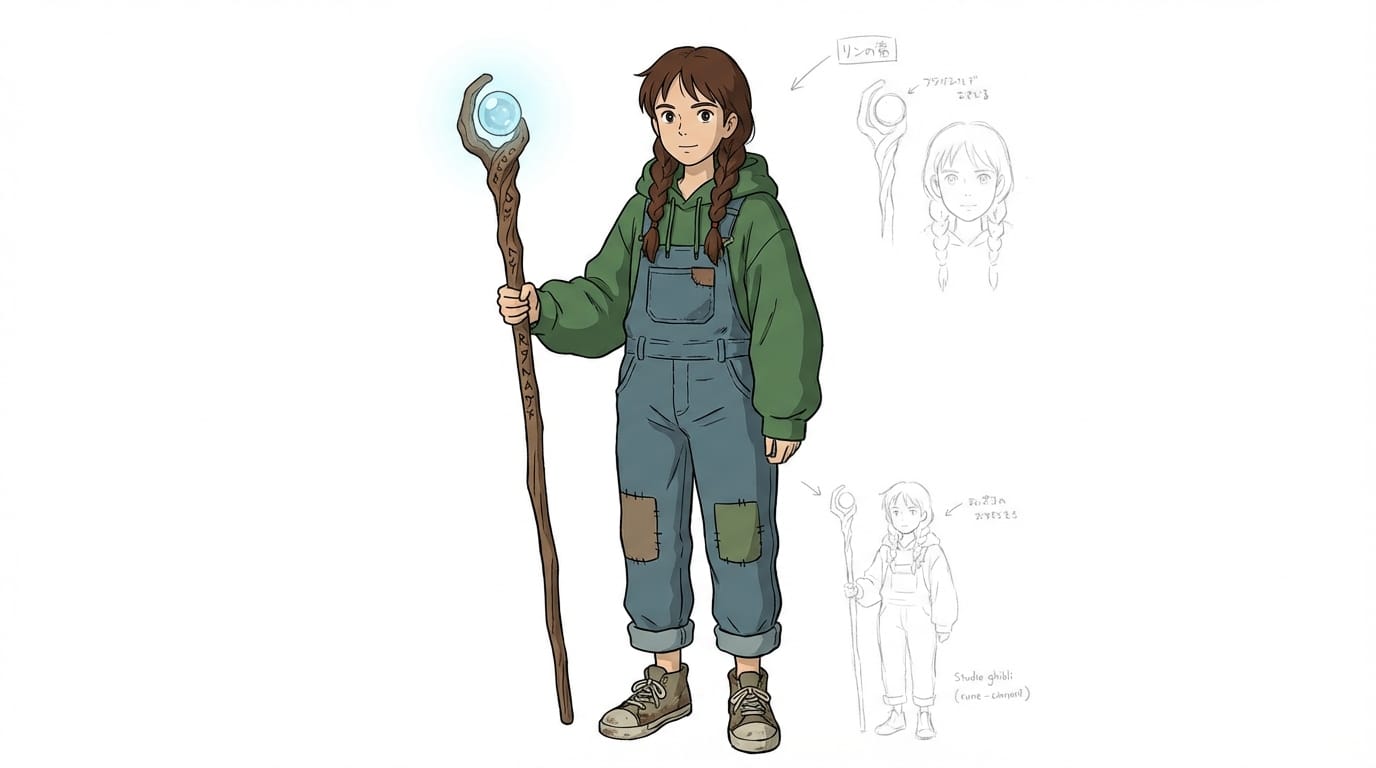
1. Creating a Consistent Character Design
This workflow focuses on generating a clean character reference that can be used for rigging or frame-by-frame reference.
Example Prompt:
A full body character design of a young witch wearing a modern hoodie and holding a glowing wooden staff, studio Ghibli art style, clean outlines, flat coloring, white background, character concept art
- Create this asset: https://sousaku.ai/create/text2image/grok-image-model-2
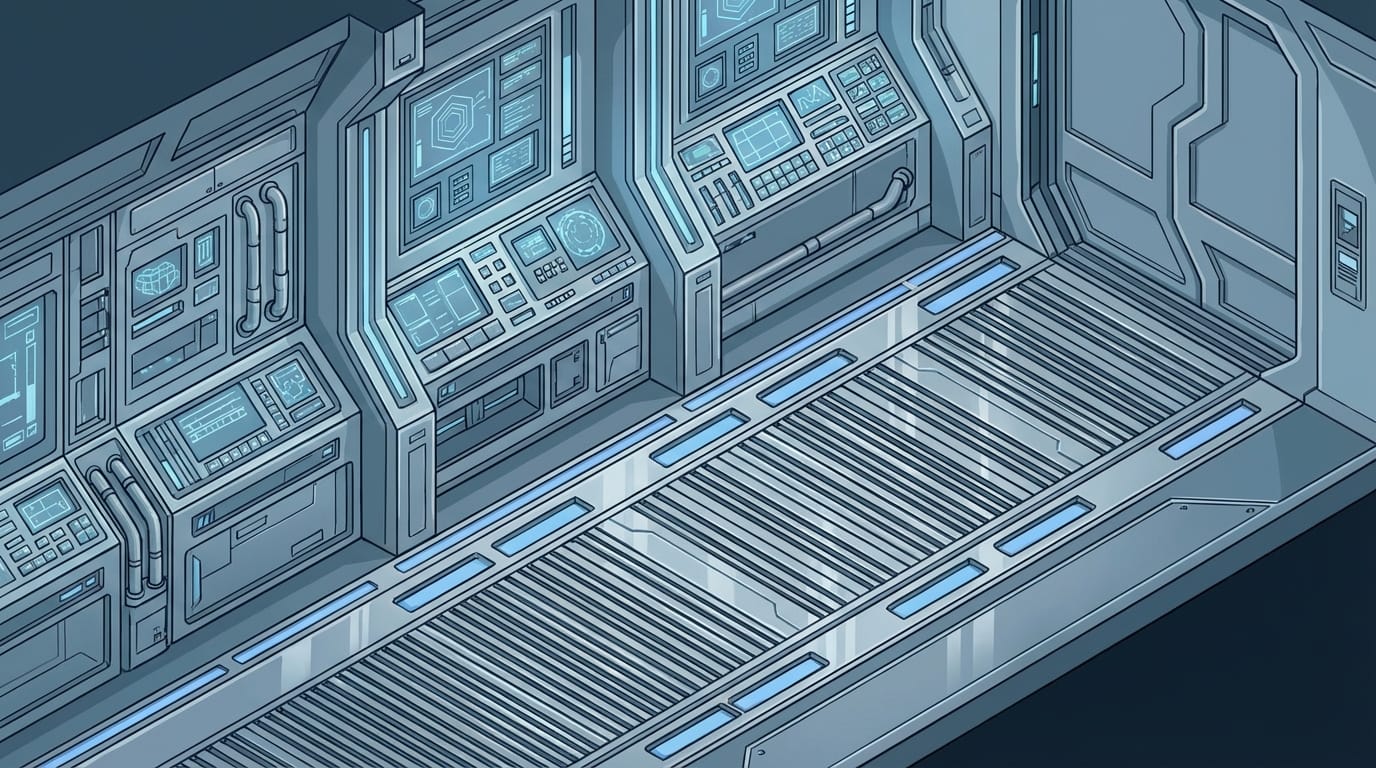
2. Generating an Atmospheric Background Layout
This example focuses on creating a background plate where the animation will take place.
Example Prompt:
An empty sci-fi hallway inside a spaceship, isometric view, clean vector art style, cold blue and grey color palette, highly detailed control panels, no characters, production background art
- Create this asset: https://sousaku.ai/create/text2image/grok-image-model-2
How to Test and Optimize Animated Short Content on SousakuAI
Testing your assets is crucial to ensure they fit your animation pipeline. Here is how to verify the capabilities of Grok Image 2.0 for your specific needs.
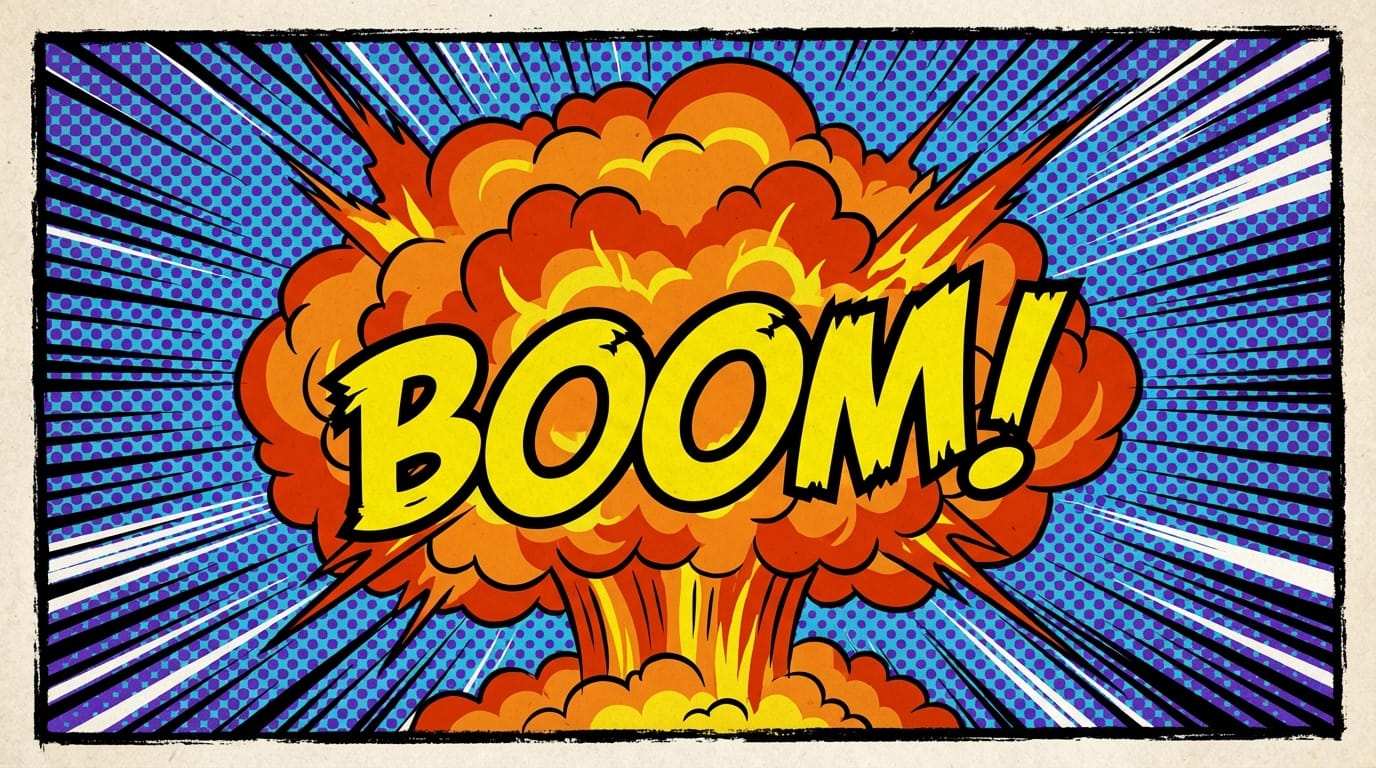
1. Testing Text Rendering for Narrative Elements
Animated shorts often use on-screen text for dialogue or sound effects. Use this prompt to test the model's typography accuracy.
Example Prompt:
A comic book panel showing a large explosion with the text BOOM written in bold yellow jagged letters, dynamic action lines, pop art style, halftone pattern background
- Test this feature: https://sousaku.ai/create/text2image/grok-image-model-2
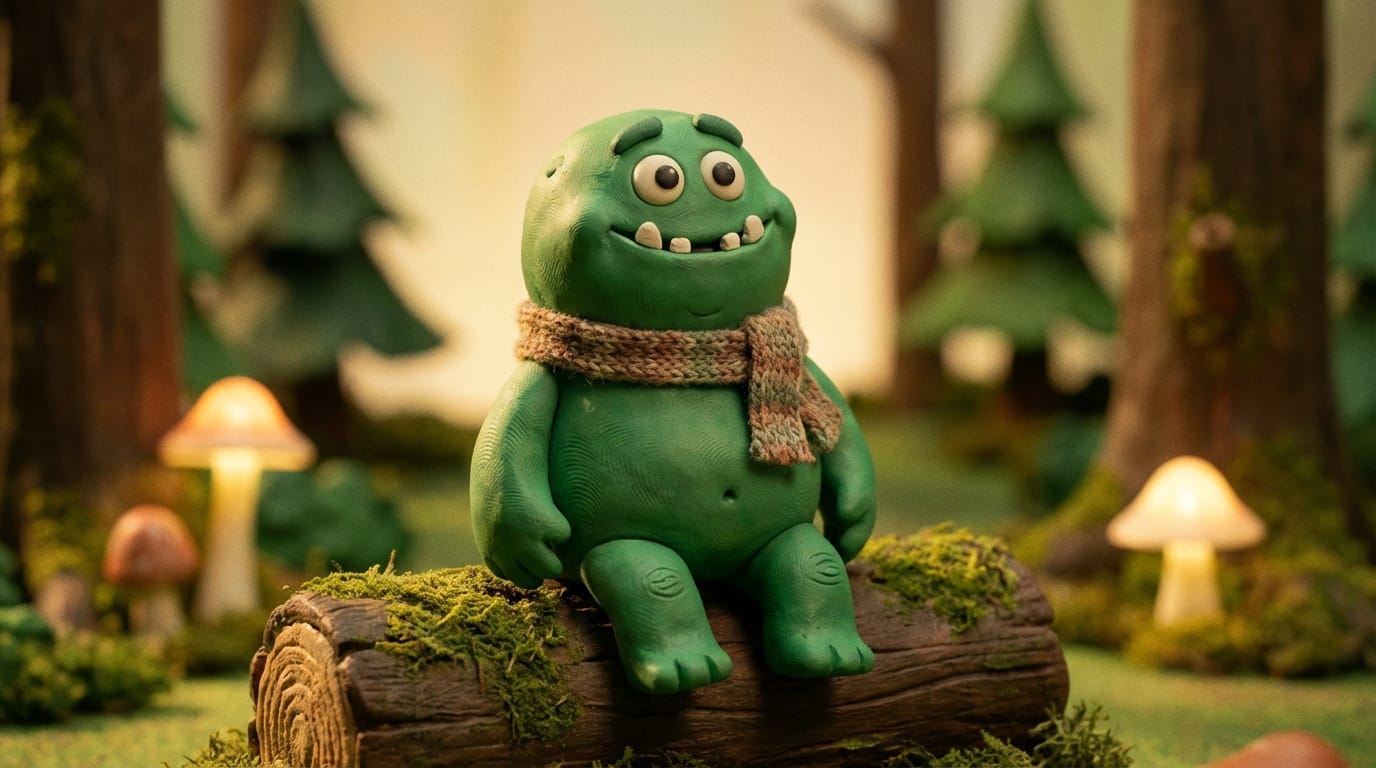
2. Testing Style Transfer for Experimental Animation
To create a unique look, you might want to test unusual artistic mediums. This prompt tests the model's ability to render a specific texture.
Example Prompt:
A frame of an animated movie rendered in the style of stop-motion claymation, a cute monster made of green clay sitting on a wooden log, depth of field, fingerprint textures on clay, realistic studio lighting
- Test this feature: https://sousaku.ai/create/text2image/grok-image-model-2
Summary: Efficiently Using Grok Image 2.0 for Animated Shorts
To maximize the potential of Grok Image 2.0 for Animated Short production, focus on its strengths as a concept art and asset generator.
- Leverage the Text Capability: Use the model to generate integrated titles, sound effects, and signage, saving time on graphic design.
- Exploit the Compositional Freedom: Use the model's lack of censorship and high adherence to create complex, edgy, or highly specific storyboards that other models might reject or simplify.
- Plan for Animation: Always prompt for "clean lines," "flat colors," or "white background" when generating characters to make the extraction and rigging process smoother.
By understanding that Grok Image 2.0 provides the raw visual materials rather than the final moving image, creators can build a robust library of assets that are aesthetically unique and narratively clear.
Start Creating
Ready to build your animation assets?
- Visit Sousaku.AI: https://sousaku.ai
- Start Creating: https://sousaku.ai/signin